Learning Plan 2: Design and Font Effects

Overview of Learning Plan 2

  • Define design properties.
  • Examine font properties.
  • Examine color properties.
  • Examine background properties.
  • Examine text properties.
  • Examine link properties.
  • Examine list properties.
  • Examine table properties.
  • Examine rounded corner properties.
  • Examine border images properties.
  • Examine gradient properties.
  • Examine pagination properties.
  • Examine image properties.
  • Examine button properties.
  • Examine shadow properties.
  • Define text effects.
  • Explore use of CSS to create text effects.
  • Examine CSS3 shadow properties.
  • Explore applications of text effects.

Practice Coding Documentation

Description

This practice has activities to allow you to practice coding CSS properties in the following 8 categories: font and text properties, color and background properties, link and list properties, image related properties, table properties, rounded corner properties, button properties, and pagination properties. The practice is documented with screen captures.

Practice Coding Documentation

Reflection Statement

I had previously completed this practice on my own so I was very familiar with it. In this lesson plan, I learned how to use image related properties, gradients, and pagination. I still need more practice with the different color types and opacity.

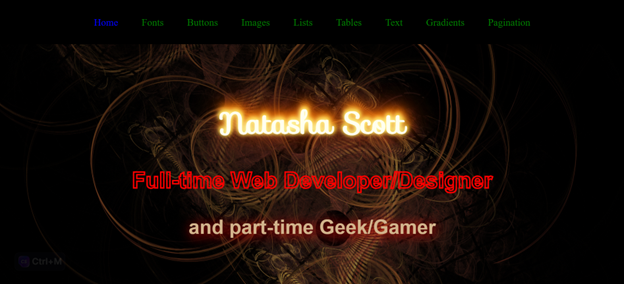
CSS Design Project

CSS Design Project

Description

This is an extensive project that allows you to explore the following 8 categories: font and text properties, color and background properties, link and list properties, image related properties, table properties, rounded corner properties, button properties, and pagination properties. This project encourages you to explore the properties any way you want.

CSS Design Project

Reflection Statement

I really enjoyed completing this project. It did take me a while to figure out how I was going to incorporate all the properties on one page. I did not want to make the website too complicated. I did learn how to use some properties that I knew about but never had a chance to use, like gradients and pagination. This project gave me the chance to be a little creative. I do want to improve on the colors and the layout as I progress through this class. I feel like I could learn more about gradients, image properties, and some of the background properties.